 by
by The Truth About WhatsApp Chat Hacking: Ultimate Security & Prevention Guide
In today’s hyper-connected digital landscape, WhatsApp is more than just a messaging app; it is a digital vault containing our most private conversations, financial information, and personal media. Because of this immense value, “WhatsApp chat hack” remains one of the most highly searched terms on the internet.
But is it actually possible to hack WhatsApp? If someone tries to steal your data, how can you stop them?
In this comprehensive guide, we will dive deep into the reality of WhatsApp security. We will debunk popular hacking myths, expose the real tactics cybercriminals use, and provide you with an ultimate, step-by-step checklist to make your account 100% bulletproof.
1. The Core of WhatsApp Security: End-to-End Encryption (E2EE)

Before worrying about hackers, it is crucial to understand how WhatsApp protects your data by default. WhatsApp utilizes a security protocol known as End-to-End Encryption (E2EE).
How Does E2EE Work?
When you send a message, it is instantly scrambled into an unbreakable cryptographic code. This code travels through the internet and is only deciphered when it reaches the recipient’s phone.
- The Reality: No one in the middle can read it. Your internet service provider cannot read it. Hackers intercepting the Wi-Fi cannot read it. Even WhatsApp and its parent company, Meta, cannot read your messages or listen to your calls.
Because the central servers are virtually impenetrable to brute-force decryption, cybercriminals do not waste time trying to “hack WhatsApp.” Instead, they try to hack you.
2. Myth vs. Reality: How Do Accounts Actually Get Compromised?
If the app is so secure, why do we hear stories of people losing their accounts? The answer lies in Social Engineering and user negligence. Hackers exploit human psychology and bad security habits rather than writing complex code.
Here are the most common methods scammers use:
A. The 6-Digit OTP Scam (Phishing)
This is the most widespread tactic globally. A scammer will attempt to log into WhatsApp using your phone number. WhatsApp will automatically send a 6-digit One-Time Password (OTP) to your device via SMS. The scammer will then message or call you—often pretending to be a friend in an emergency or an official support agent—begging you to forward that code. The moment you share it, they take over your account.
B. Misuse of “Linked Devices” (WhatsApp Web)
The “Linked Devices” feature allows you to use WhatsApp on your PC or tablet. If you log into your account on an office computer, a public library PC, or a friend’s laptop and forget to log out, anyone with access to that device can read your chats, send messages, and view your media in real-time.
C. Malicious Third-Party Mods (GBWhatsApp, WhatsApp Plus)
Many users download modified versions of WhatsApp from unofficial websites to get extra features like hiding their online status or downloading statuses. This is a massive security risk. These unofficial apps bypass Google Play Protect and often contain built-in spyware. They can silently harvest your chats and send them to unknown servers. Furthermore, WhatsApp actively permanently bans users caught using these mods.
D. Physical Access & Unlocked Screens
Sometimes the biggest threat is not a remote hacker, but someone in the same room. If you leave your smartphone unlocked on a desk, a snooping colleague or acquaintance can open the app, read your messages, or quickly scan a QR code to link your account to their own web browser.
3. Quick Reference: Threats & Solutions
Here is a quick breakdown of common threats and how to neutralize them immediately.
| Security Threat | How the Attacker Operates | Your Immediate Defense Strategy |
| Verification Code Scam | Tricks you into sharing your SMS OTP. | Never share your 6-digit WhatsApp code with anyone, under any circumstances. |
| Linked Device Snooping | Accesses an active session on a PC. | Check Linked Devices weekly and log out of unrecognized sessions. |
| Spyware & Modded Apps | Steals data via unofficial APKs. | Only install WhatsApp from the Google Play Store or Apple App Store. |
| Physical Phone Access | Reads chats when you leave the phone. | Enable biometric screen locks (Fingerprint/Face ID) inside the app. |
| Voicemail Hacking | Intercepts the automated OTP voice call. | Set a strong, custom PIN on your carrier’s voicemail service. |
4. How to Tell if Your WhatsApp is Compromised
Are you worried that someone might already be snooping on your chats? Look out for these major red flags:
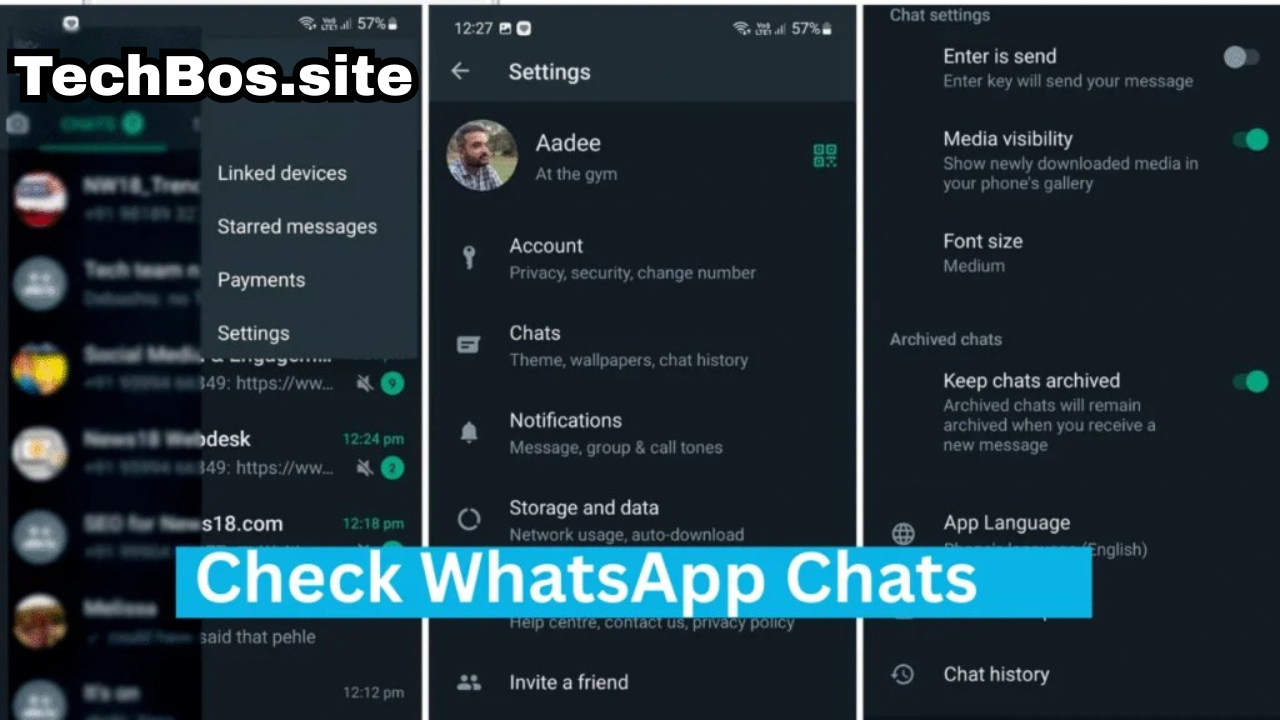
- Unfamiliar Linked Devices: Go to Settings > Linked Devices. Do you see a Windows or Mac session that you don’t recognize?
- Messages Reading Themselves: If unread messages suddenly appear as “read” (blue ticks) before you actually open them, someone else might have an active session open.
- Battery Drain & Overheating: If your phone’s battery is draining unusually fast, a malicious background app or spyware might be running.
- Random App Restarts: If WhatsApp keeps asking you to verify your phone number, it means someone else is actively trying to log in from another device.
5. The Ultimate Security Checklist: Bulletproof Your Account
Take these actionable steps right now to ensure your data remains strictly private.
Step 1: Enable Two-Step Verification (Mandatory)
This is your absolute best defense. By enabling this, even if a hacker tricks you into giving them your SMS code, they will be stopped by a secondary PIN that only you know.
- How to enable: Go to Settings > Account > Two-Step Verification > Turn On. Enter a memorable 6-digit PIN and provide a backup email address.
Step 2: Activate App Lock (Biometrics)
Add a layer of physical security so that even if your phone is unlocked, the app itself remains sealed.
- How to enable: Go to Settings > Privacy > App Lock. Choose Fingerprint, Face ID, or Screen Lock, and set it to lock “Immediately.”
Step 3: Protect Your IP Address in Calls
To prevent highly advanced cybercriminals from tracking your location through WhatsApp calls, you can mask your IP address.
- How to enable: Go to Settings > Privacy > Advanced and toggle on Protect IP address in calls.

Step 4: Silence Unknown Callers
Stop scammers and spam bots from reaching you directly.
- How to enable: Go to Settings > Privacy > Calls and turn on Silence Unknown Callers.
Step 5: Restrict Profile Visibility
Don’t give strangers your personal information. Go to Settings > Privacy and ensure your Profile Photo, Last Seen, and Status are set to My Contacts only.
6. Emergency Protocol: What to Do If You Lose Access
If you fall victim to a scam and are locked out of your account, do not panic. Follow this recovery protocol immediately:
- Re-register Immediately: Open WhatsApp, enter your phone number, and request a new SMS verification code.
- Lock Out the Hacker: As soon as you enter the new 6-digit code, the hacker will be instantly logged out of your account.
- The 7-Day Wait: If the hacker was fast enough to set up their own Two-Step Verification PIN, you will be prompted to enter it. Since you don’t know it, you will have to wait 7 days to access your account without the PIN. However, the hacker is still logged out during this time. They cannot read your incoming messages.
- Notify Your Contacts: Use standard text messages (SMS) or a normal phone call to warn your close friends and family that your account was temporarily compromised, so they do not fall for any money requests sent by the hacker.
Conclusion
The idea of a remote “WhatsApp Chat Hack” is mostly a myth perpetuated by movies and scam websites. The platform’s End-to-End Encryption makes it incredibly secure. The real vulnerabilities are human error, phishing scams, and lack of basic security hygiene.
By understanding the real threats, avoiding unofficial modded apps, and enabling Two-Step Verification, you can enjoy digital communication with complete peace of mind. Stay alert, protect your OTPs, and keep your private life private!